ScanStep Case Study

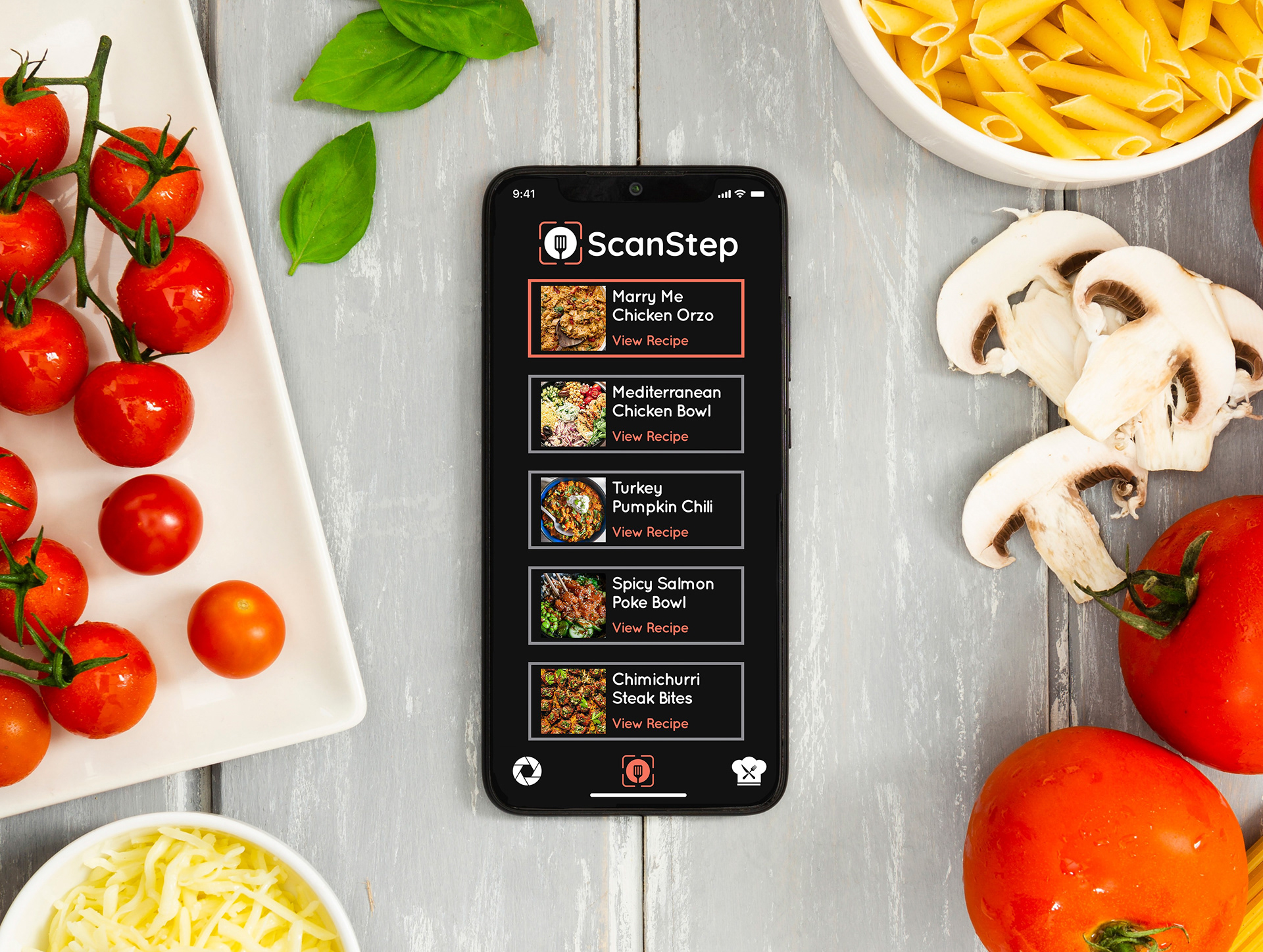
ScanStep is a mobile application that scans recipe cards, cookbooks, screenshots, and PDFs, then transforms them into an interactive, step-by-step cooking experience.

The Problem: Many home cooks save recipes from multiple places, whether they are screenshots from social media, cookbooks or websites, it can become impossible to organize. Long instruction paragraphs get overwhelming, causing users to lose their place while cooking, touch their phone with messy hands, scroll endlessly etc, causing the cooking process to become frustrating instead of enjoyable.
The Goal: To allow users to scan any recipe, automatically organize ingredients and instructions, save recipes into one library, follow one instruction at a time, and spend less time reading and more time cooking without getting their phones messy.
Target Users: Home cooks ages 24 - 55 would like a simple interface with recipes broken into individual cooking steps, without repeatedly having to touch their phones with messy hands, nor lose their place while cooking. Many use screenshots of recipes from social media.
84% said they constantly lose their place while cooking.
72% use screenshots because recipes come from Instagram, Pinterest, or Facebook.
80% touch their phones repeatedly with messy hands.
64% wish recipes were broken into individual cooking steps.

User Flow
Open App - Scan Recipe or Import Screenshot - OCR Reads Text - Recipe Preview - Edit and Save Recipe - Step-by-Step Cooking - Recipe Complete
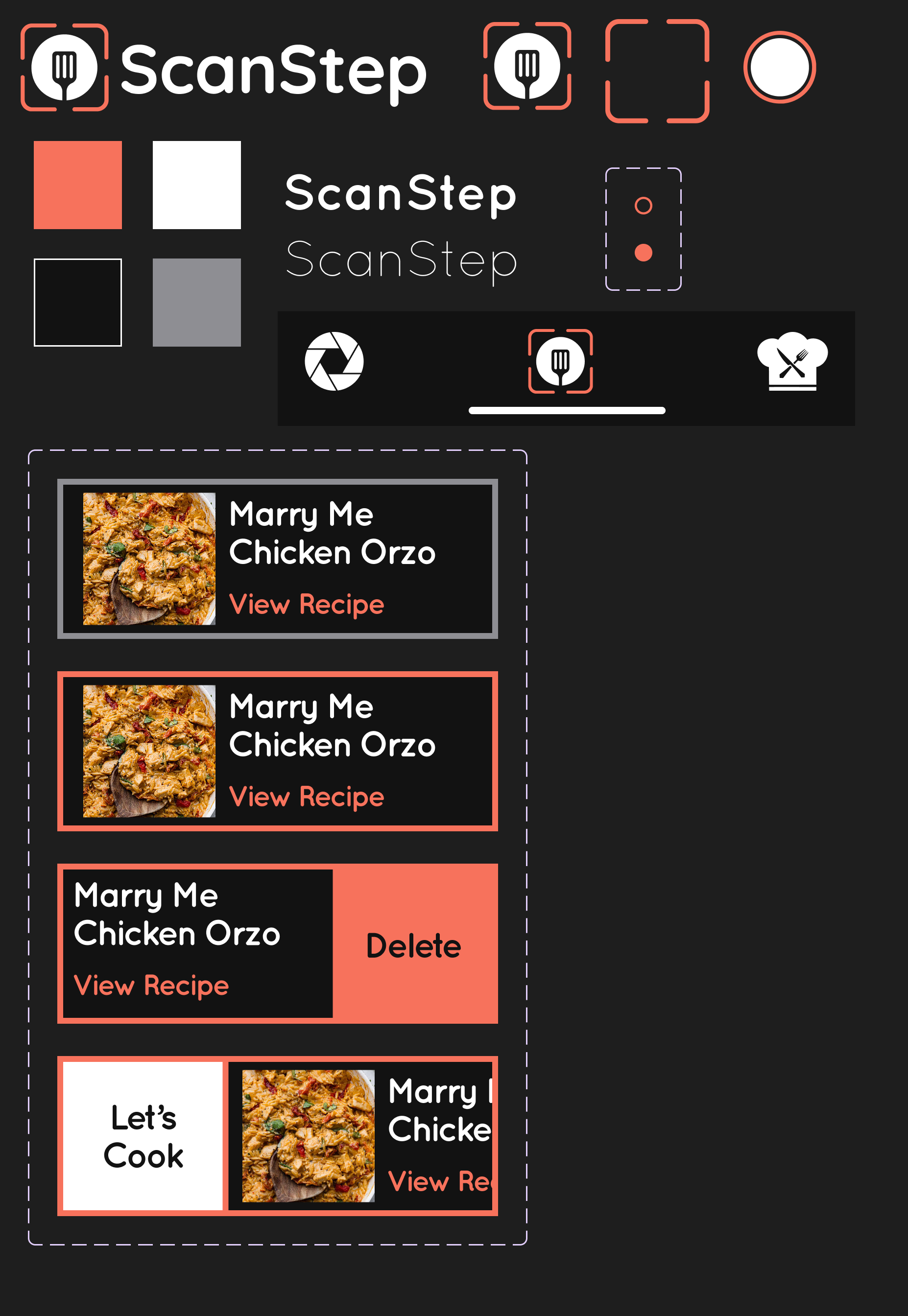
UI Design System - High contrast to ensure readability in varying kitchen lighting conditions with large touch targets for easy navigation.
Colors - Primary Coral used for buttons, progress indicators, active navigation
White High contrast for accessibility Large readable typography
Typography - Large headings improve visibility from a distance.
Instruction text uses generous spacing for easier reading while cooking.
Design considerations for accessibility included large touch targets, high color contrast, simple navigation, minimal cognitive load, large body text, consistent layouts, and clear progress indicators
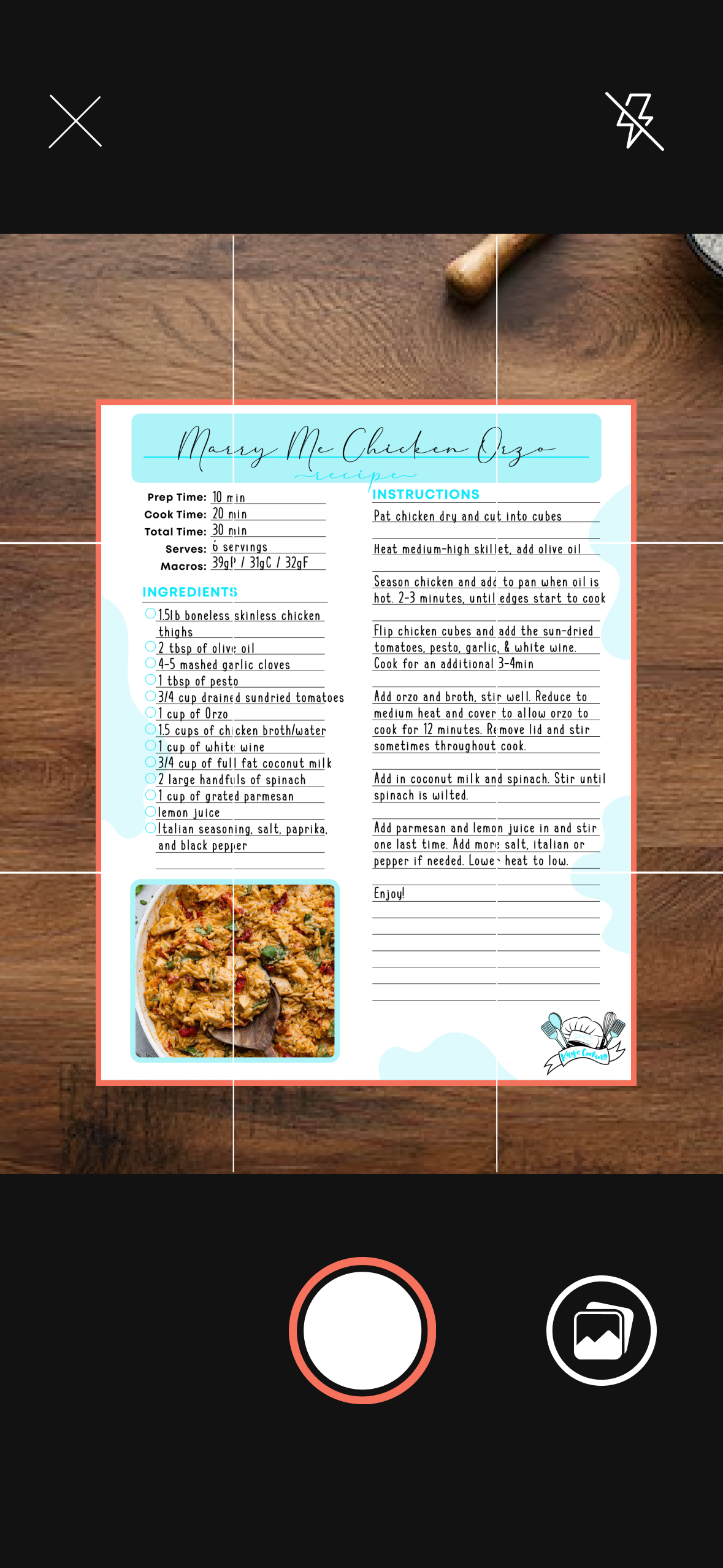
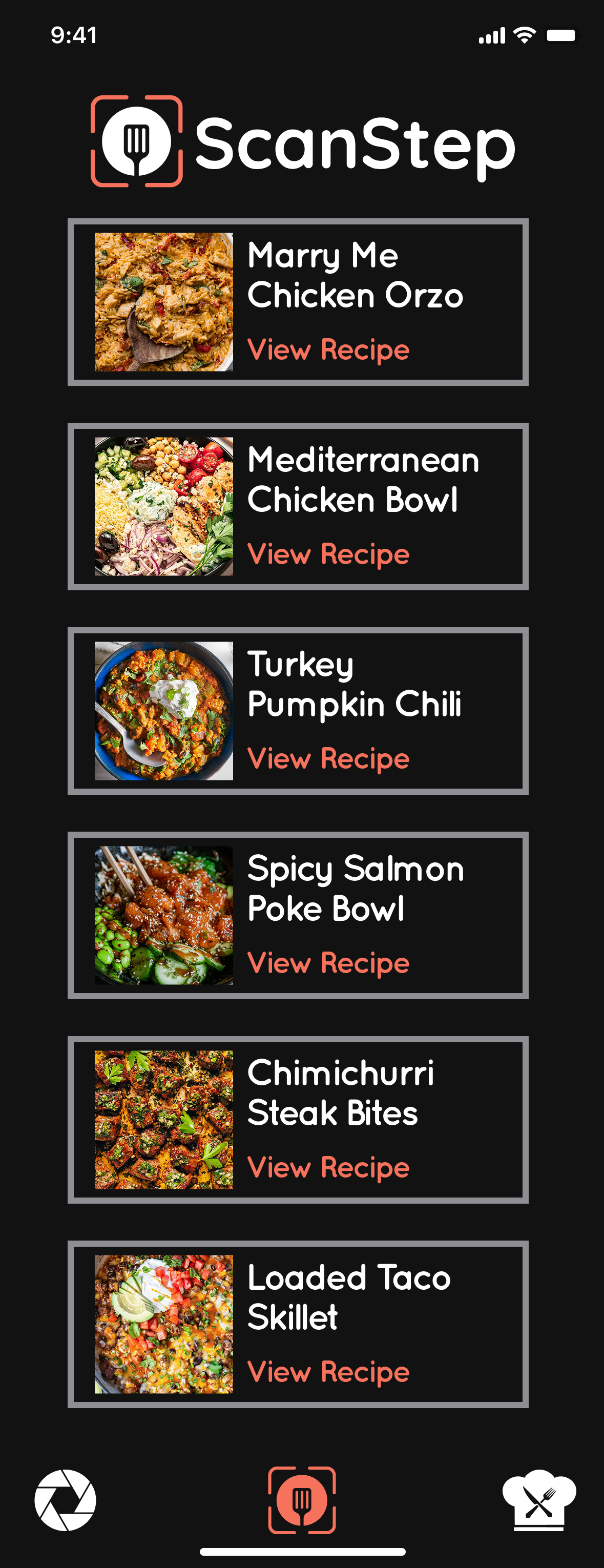
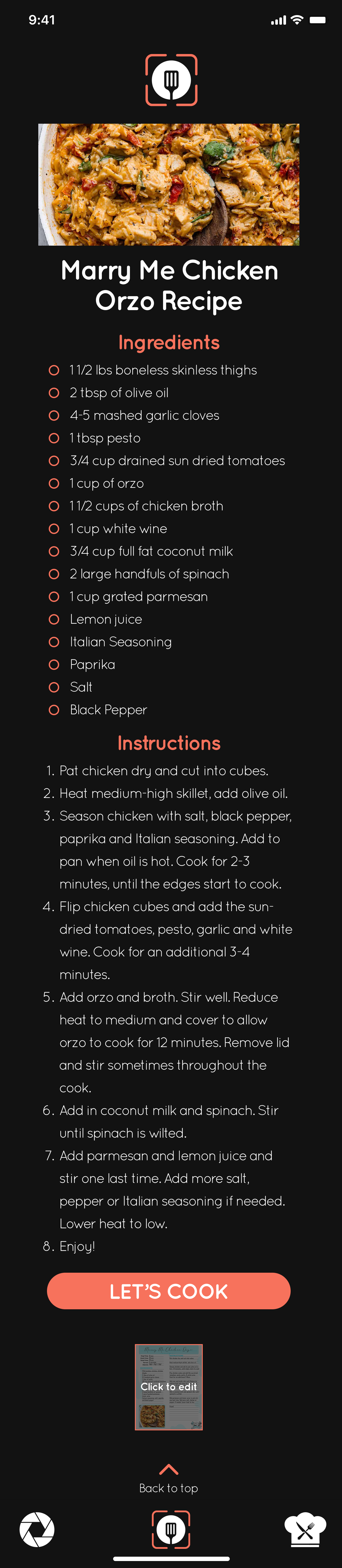
Home Screen - Immediately allows users to scan or import a recipe.
Design Decisions - Large camera button, grid overlay for alignment, minimal distractions, dark interface reduces glare in the kitchen
Recipe Library - Users can quickly browse previously scanned recipes. This eliminates searching through screenshots or photo albums. They can swipe right to delete recipe, swipe left for immediate cooking, or click on the card for the recipe preview with more details.
Recipe Preview - After OCR processing, users can review and edit the recipe. Full ingredient list shown with complete instructions and the start cooking button. This confirmation screen allows users to verify OCR accuracy before beginning.
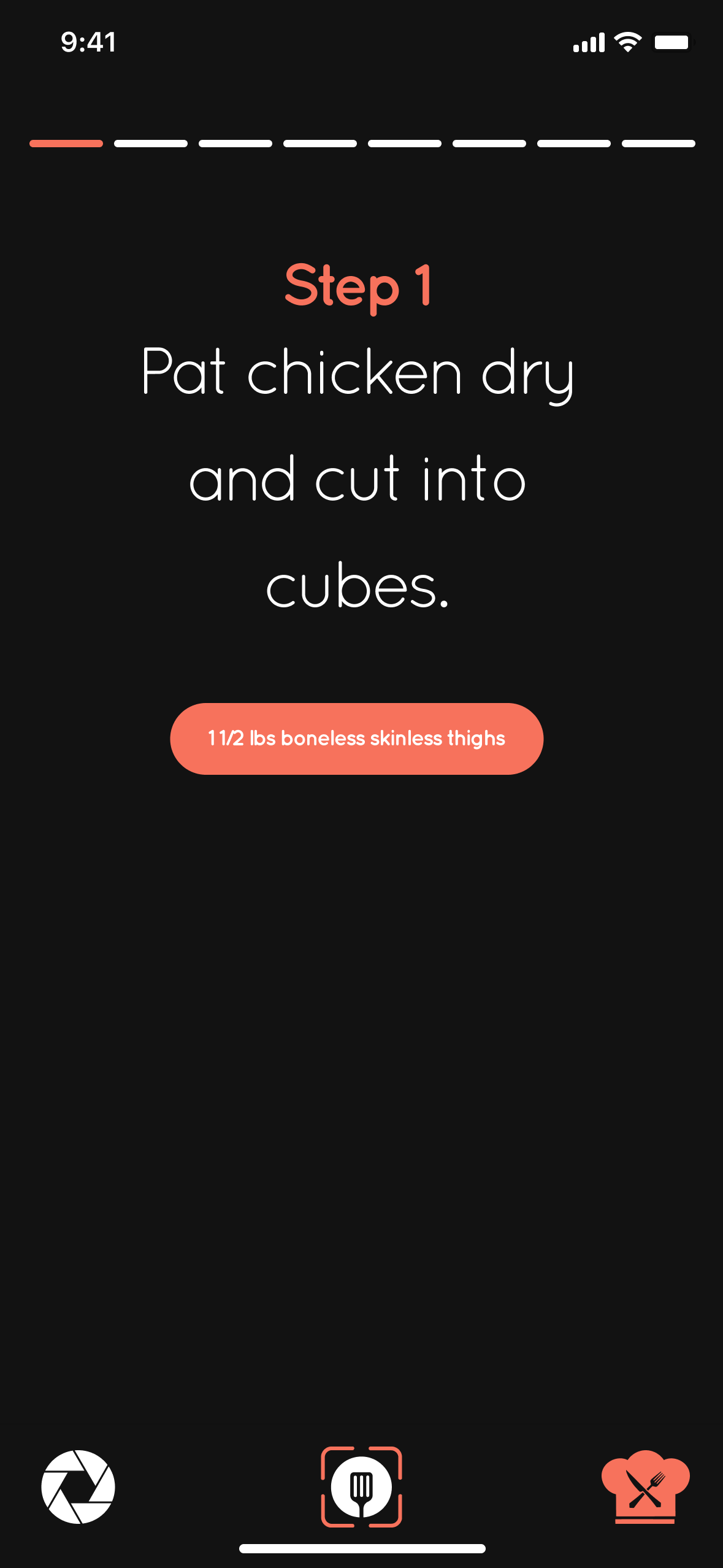
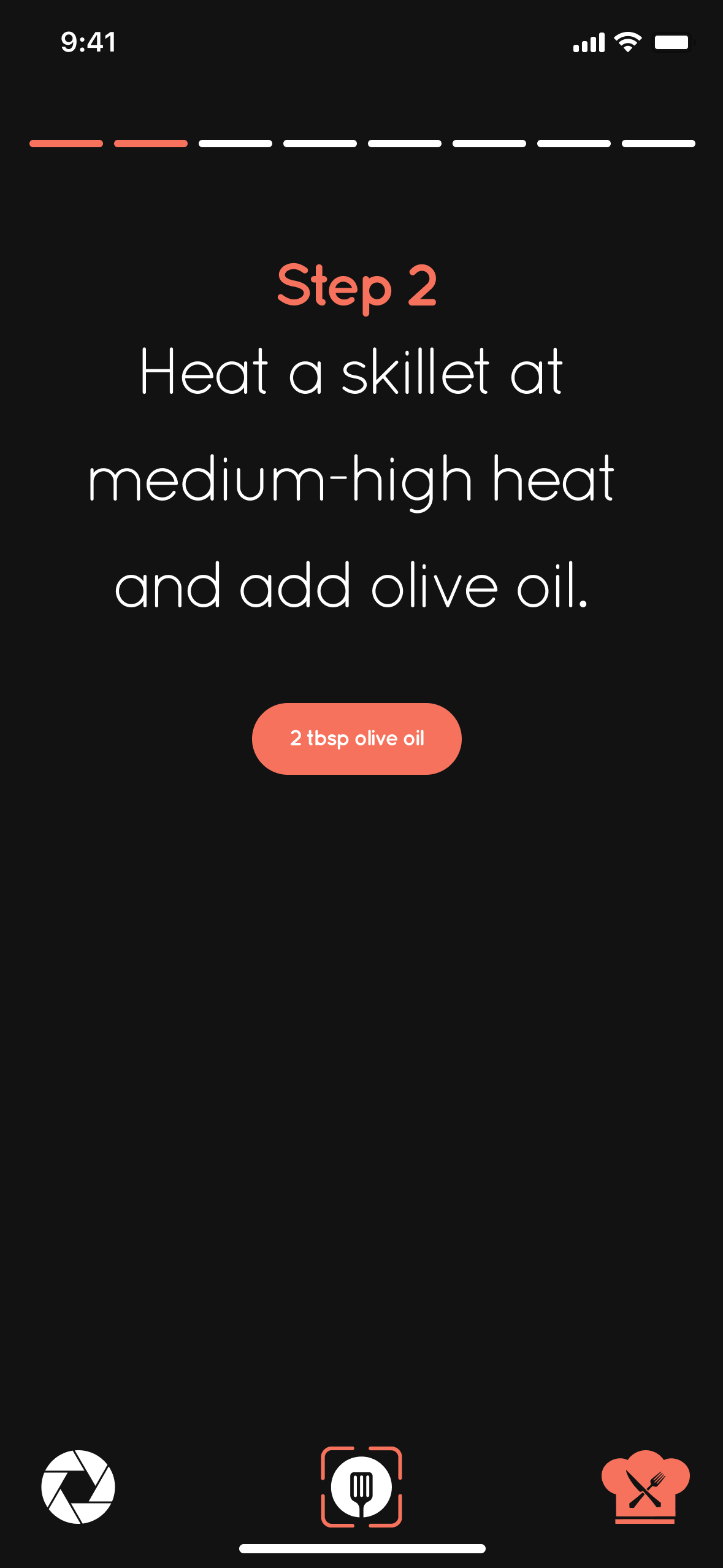
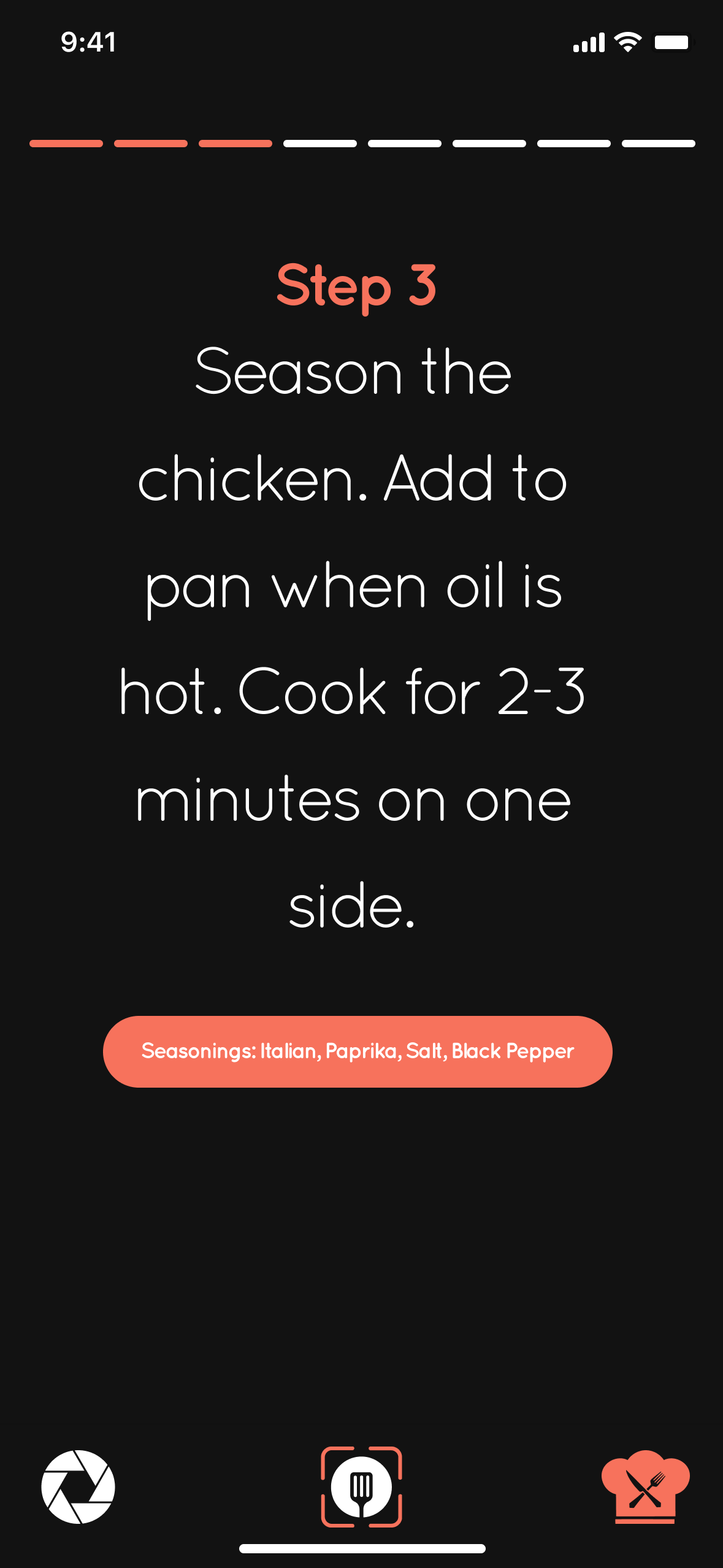
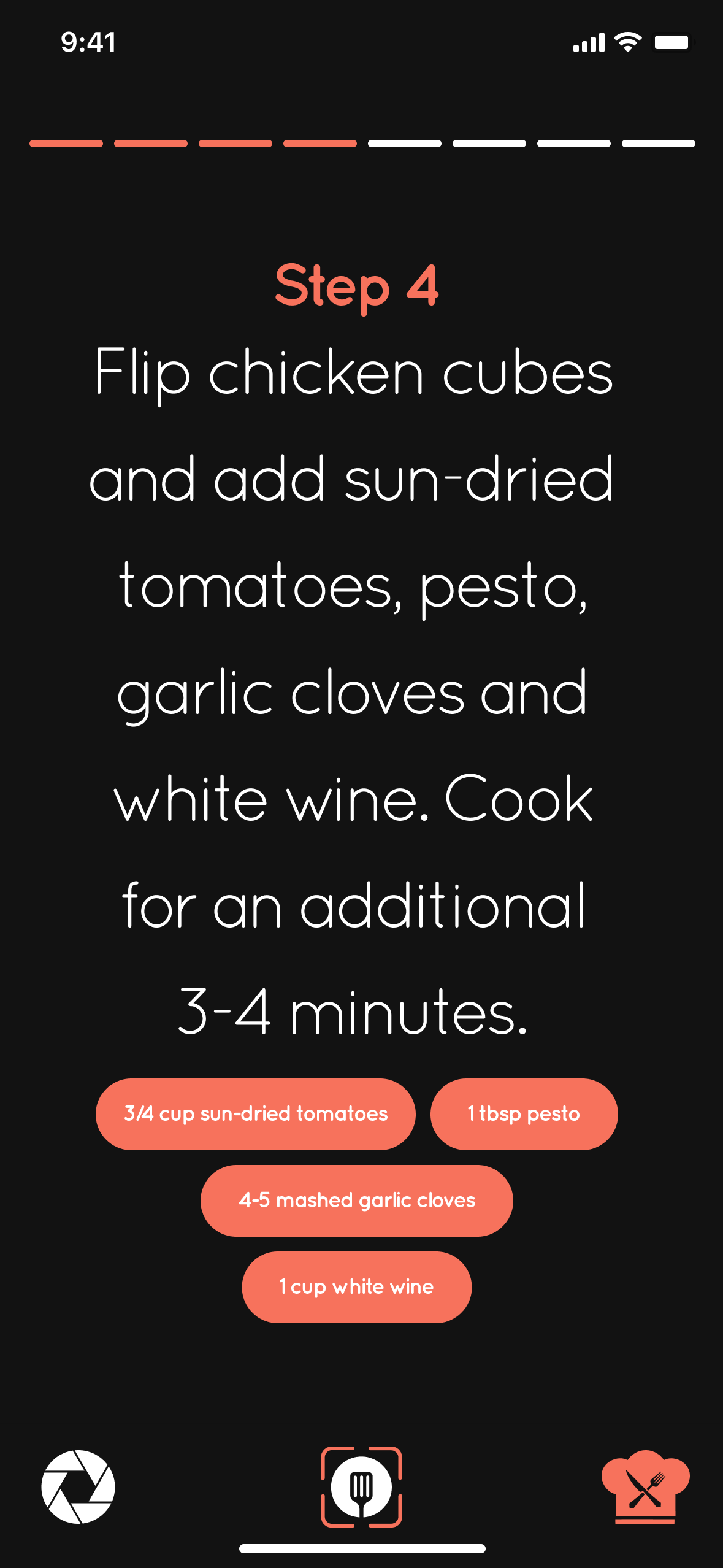
Guided Cooking Mode - This is the primary feature of ScanStep. Instead of presenting one long recipe, instructions are divided into individual steps. Each screen contains one instruction, large readable typography, progress indicator, minimal distractions, and amounts of ingredients needed. This benefits the user by scrolling less, having a better focus, less mistakes, and reading more easily. The user can tap anywhere on the screen to proceed to the next step or swipe to the left to go back, reducing the amount of time handling the phone with messy hands and to focus on cooking.
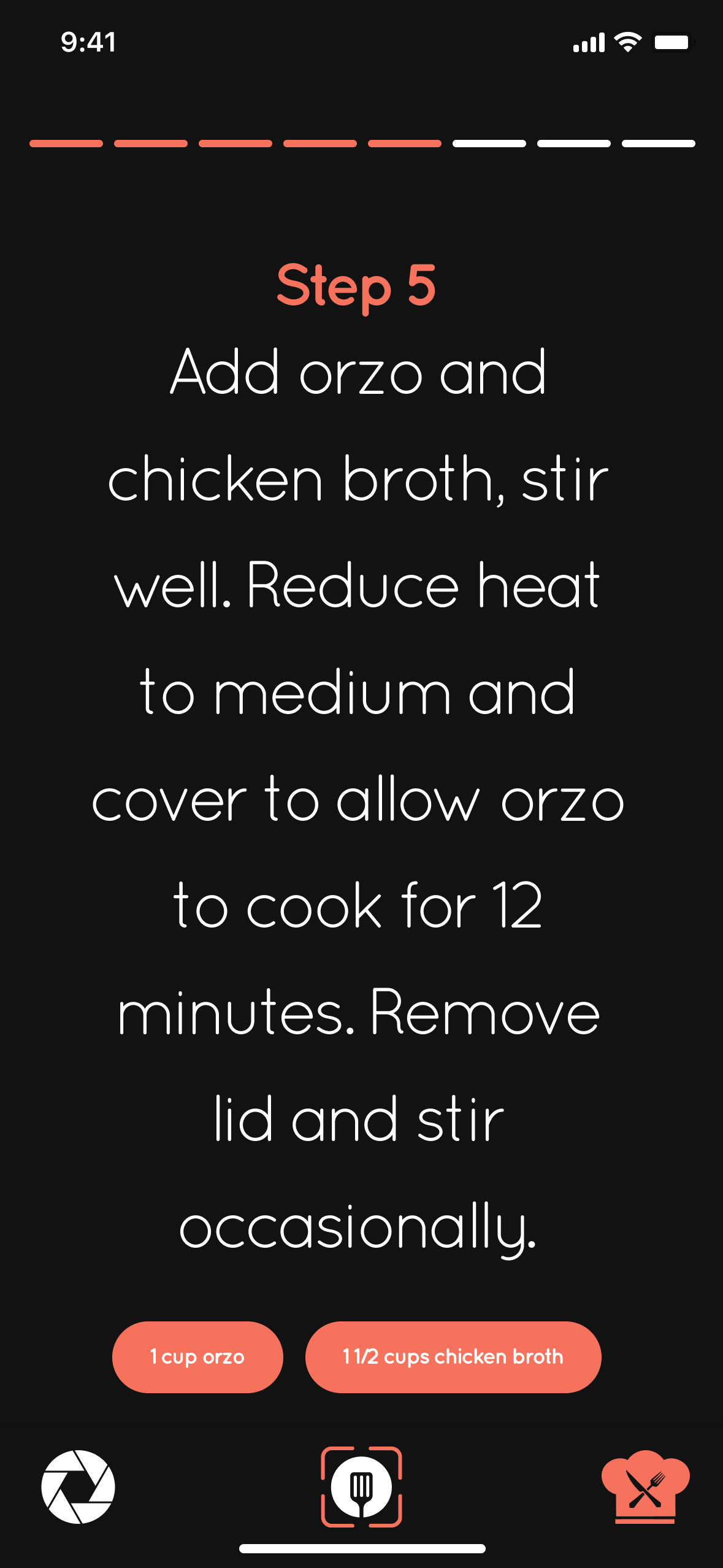
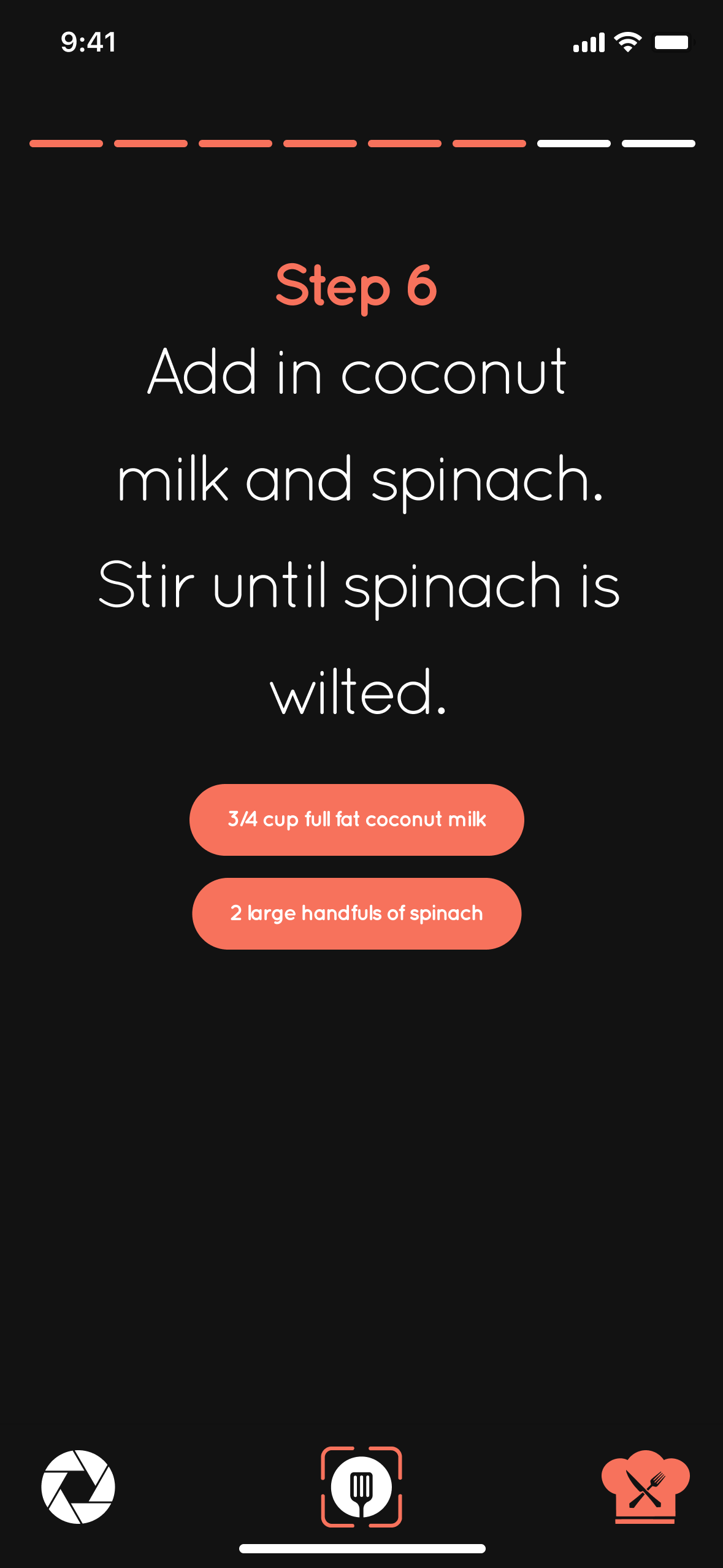
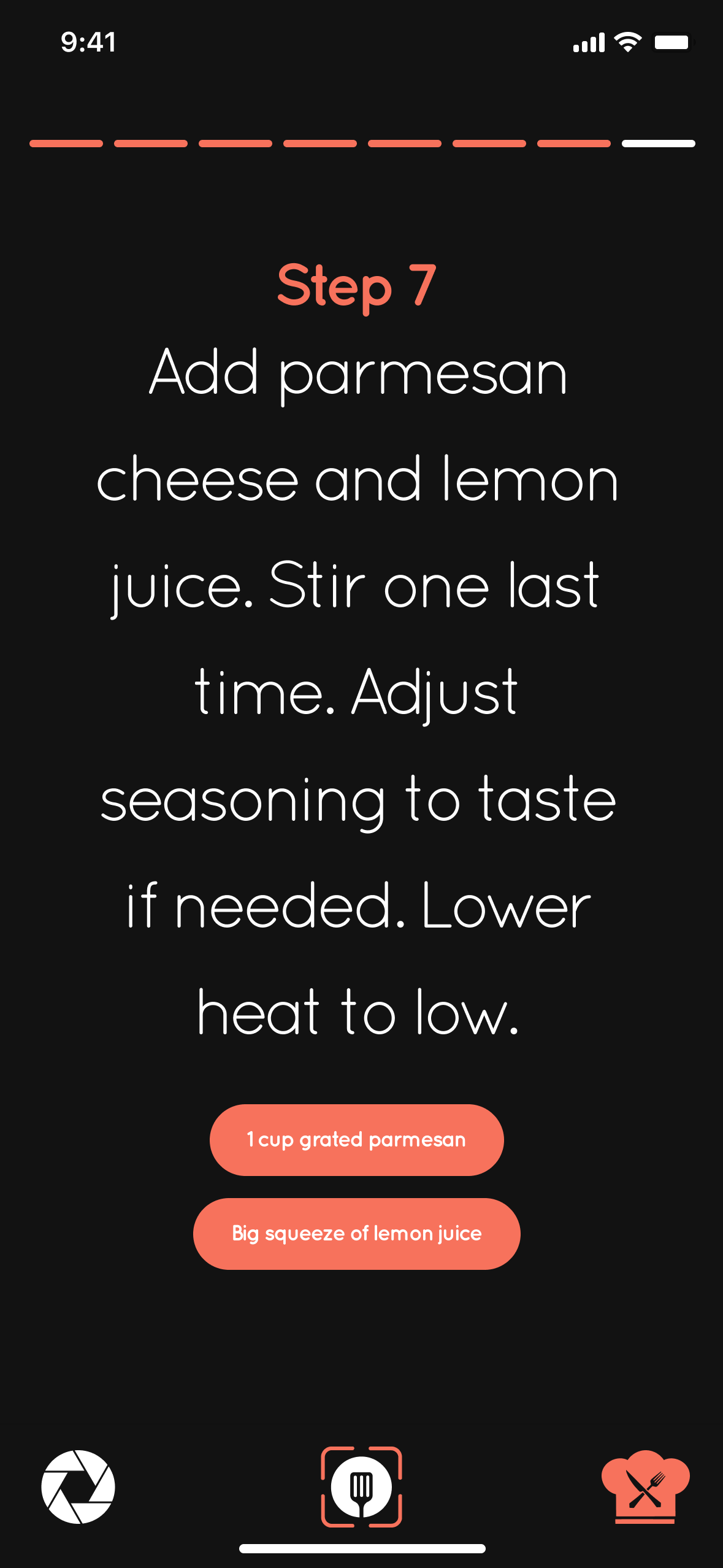
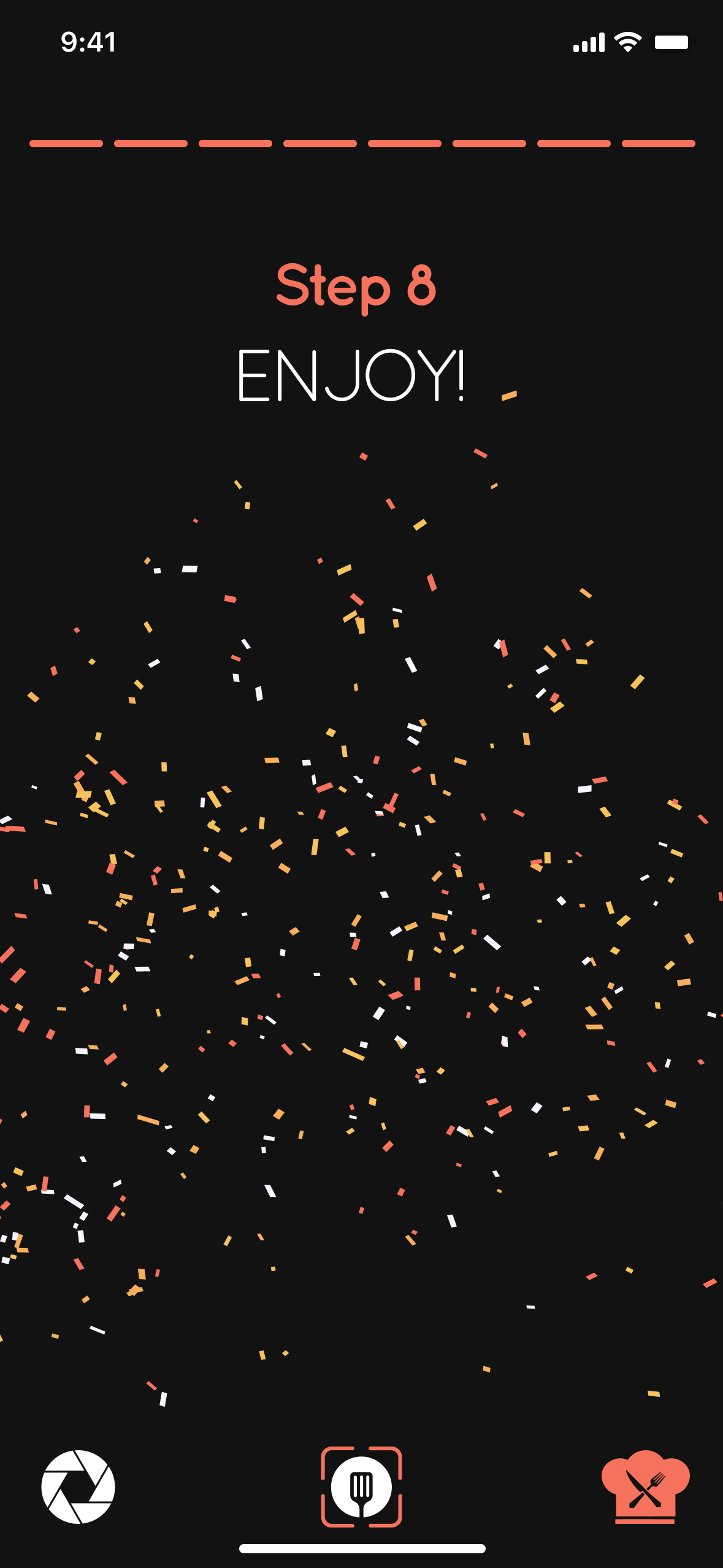
Progress Indicator - Across the top is a segmented progress bar showing the completed steps, current step, and remaining steps so users always know where they are in the recipe.
Completion Screen - After finishing all the steps, users receive a simple celebration screen to provide positive feedback, signaling recipe completion, and creates a rewarding experience, reinforcing accomplishment without overwhelming the interface.

ScanStep demonstrates how thoughtful UX can transform a static recipe into an interactive cooking assistant. By focusing on readability, organization, and reducing friction during meal preparation, the design creates a calmer, more enjoyable cooking experience. The guided step-by-step interface, combined with recipe scanning and automatic organization, solves common frustrations while remaining approachable for cooks of all experience levels.
Figma Prototype: https://www.figma.com/proto/lR75SbEM6HlrB4nwsig1GF/Untitled?node-id=3-2&viewport=189%2C347%2C0.38&t=TkJgkzd5Gp5qGD5T-1&scaling=scale-down&content-scaling=fixed&starting-point-node-id=3%3A2&page-id=0%3A1
Claude app: https://claude.ai/public/artifacts/bf0d1bbf-e913-4a9b-8200-3208b509882f